
How to Create a Floor Plan Easily (Complete Guide)
Creating a floor plan is an essential step before any construction, renovation or interior design project. A floor plan helps you visualize room layouts, measure surfaces, prepare for work and communicate with contractors. In this guide, discover how to create a floor plan easily, step by step.
What you will learn
- The classic method to create a floor plan step by step
- How to scan a room with an iPhone LiDAR
- Tool comparison (3D software, scan, drawing)
- Common mistakes to avoid
Today, several methods allow you to create a floor plan: manual drawing, 3D planning software, or automatic scanning with a smartphone. Let's look at each in detail.
How to create a floor plan easily (simple method)
Here is the classic method used to create a floor plan.
Step 1: Measure the rooms
Start by measuring the main dimensions:
- Wall lengths
- Room widths
- Ceiling height
A tape measure or laser rangefinder can be used.
Step 2: Draw the walls
Then trace the shape of the property:
- External walls
- Internal walls
- Room divisions
This allows you to visualize the overall structure.
Step 3: Add openings
Then add:
- Doors
- Windows
- Stairs
These elements are essential for a realistic floor plan.
Step 4: Check dimensions
Before using the plan for a project, it is important to check:
- Surface areas
- Proportions
- Distances between walls
Step 5: Create a digital version
The final step is to transform the plan into a digital version so you can:
- Easily modify the plan
- Share the project
- Visualize in 3D
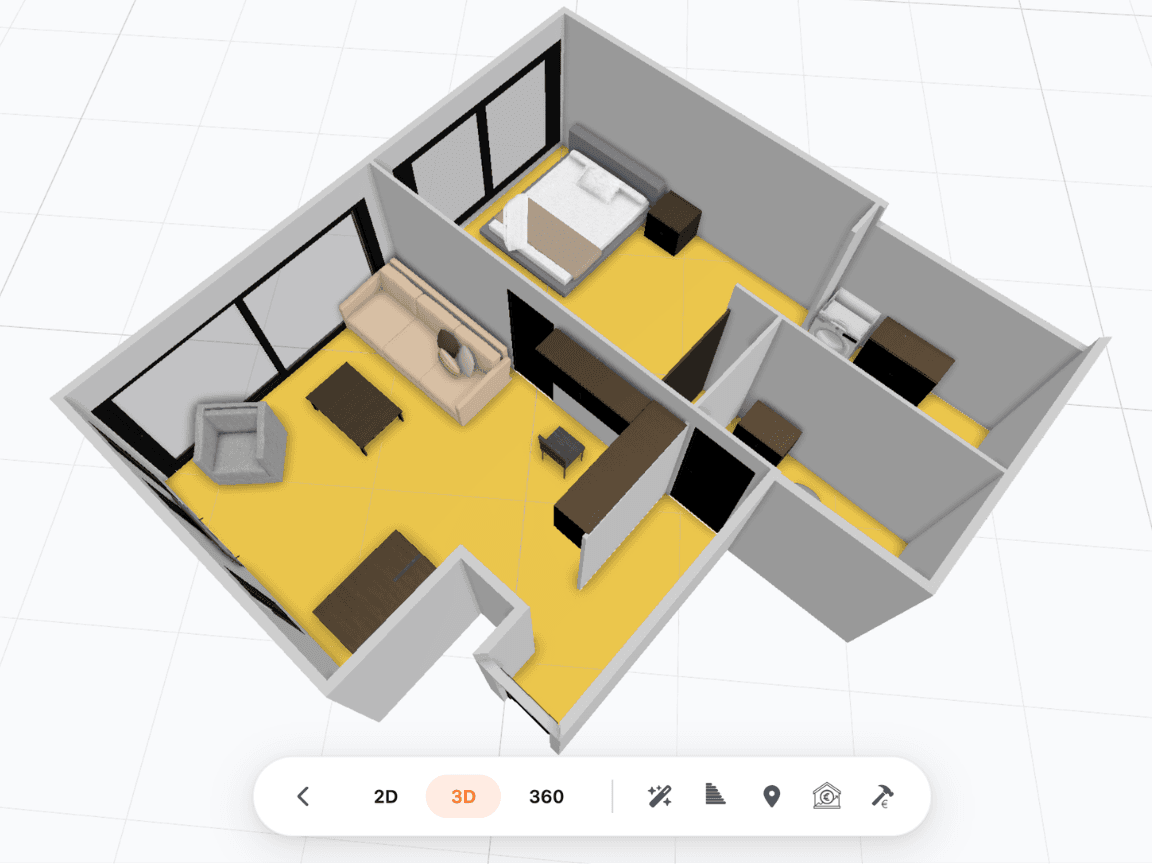
3D model generated with MakePlan — visualize your property in 3D
Create a floor plan with an iPhone (quick method)
New technologies now allow you to create a floor plan much faster. Some smartphones are equipped with a LiDAR sensor, capable of scanning a space in 3D.
This technology allows you to:
- Automatically measure walls
- Scan a room
- Generate a digital floor plan
With apps like MakePlan, you can scan a property and get a floor plan in just a few minutes.
Open the app
Launch MakePlan on your iPhone
Scan the room
Slowly move your phone around the space
Generate the plan
The floor plan is created automatically
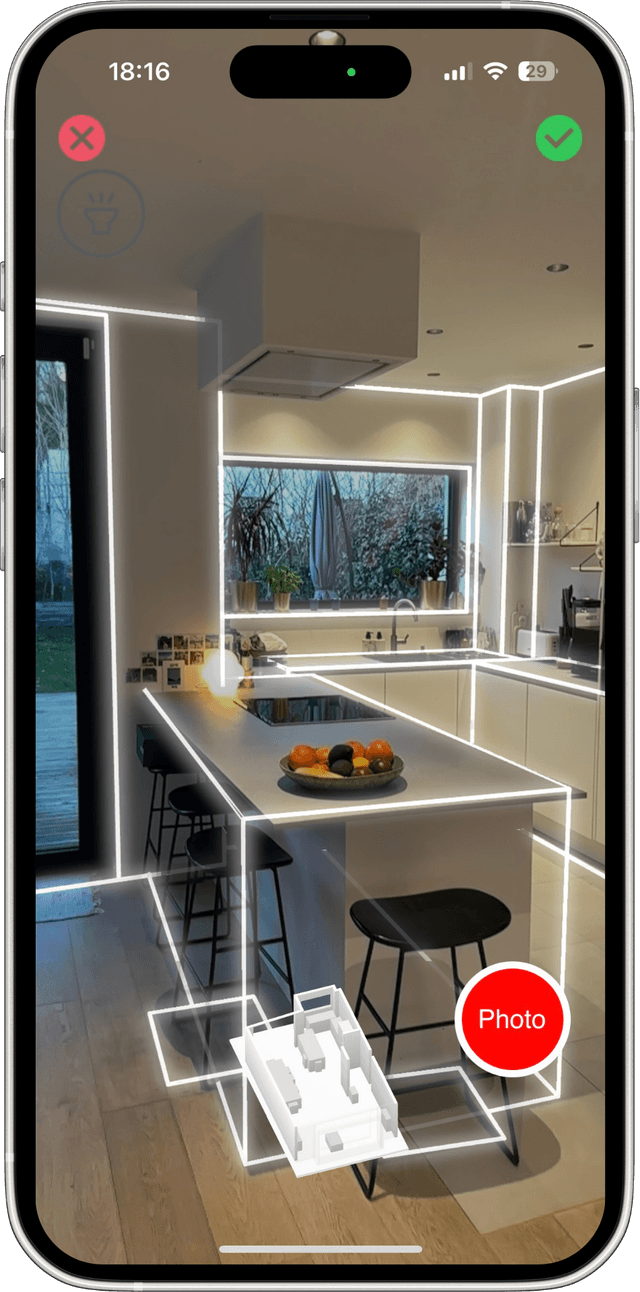
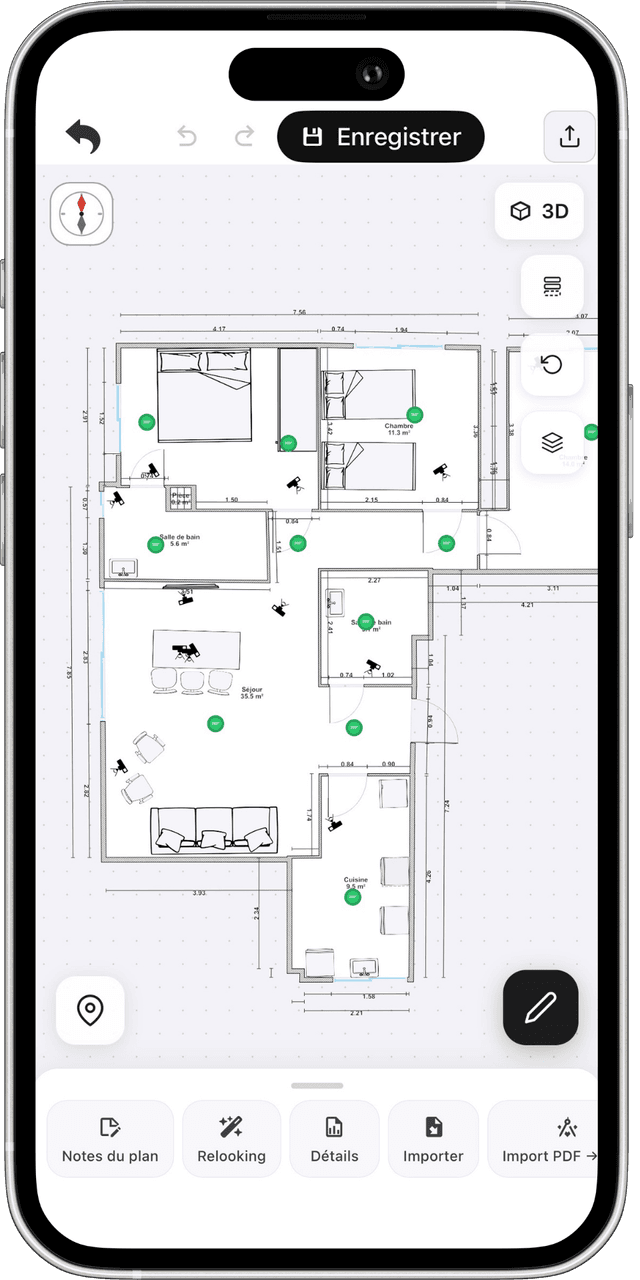
From scan to floor plan generation — directly from your iPhone
This method is now used by many construction professionals.
How to scan a room to create a floor plan
Here are the steps to automatically create a floor plan using 3D scanning.
1. Scan the space
Slowly move your smartphone around the room to capture:
- Walls
- Corners
- Dimensions
The system analyses the space in real time.
2. Generate the plan automatically
Once the scan is complete, the app transforms the data into a floor plan. The plan can be:
- 2D
- 3D
- Dimensioned
This allows you to quickly get a usable floor plan.
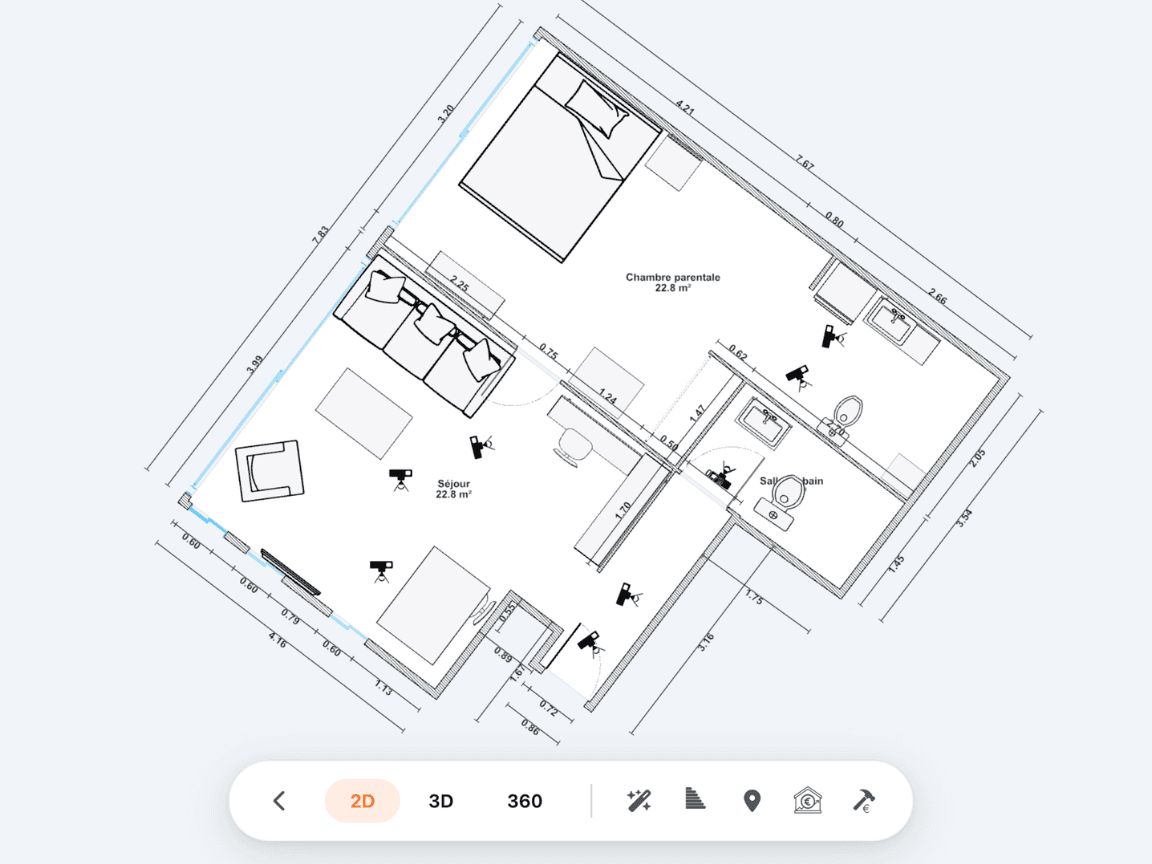
2D floor plan automatically generated with MakePlan
3. Export the plan
The plan can then be exported in different formats:
- Image
- Technical drawing
These files can be used to prepare a renovation project or share the plan with a client.
Different methods for creating a floor plan
There are several methods for creating a floor plan.
Manual drawing
The traditional method is to draw the plan on paper after measuring the walls.
Advantages
- Simple
- Accessible
Disadvantages
- Not very accurate
- Difficult to modify
3D floor plan software
Floor plan software allows you to create digital plans. Examples: HomeByMe, Archifacile, Homestyler. These tools let you visualize the project in 3D.
LiDAR scanning
LiDAR scanning captures a space in 3D and automatically generates a floor plan.
Advantages
- Fast
- Accurate
- Significant time savings
What is the best tool for creating a floor plan
Here is a simple comparison of available tools.
| Tool | Type | Advantage |
|---|---|---|
| HomeByMe | 3D software | Realistic rendering |
| Archifacile | 2D plan | Easy to use |
| Homestyler | Interior design | Decoration |
| MakePlan | LiDAR scan | Automatic generation |
Unlike traditional software, MakePlan allows you to scan a space and automatically generate a floor plan.
Who uses this type of tool today
Floor plan creation apps are used by many professionals.
Architects
To carry out building surveys.
Real estate agents
To present property floor plans.
Contractors
To prepare renovation work.
Interior designers
To visualize interior layouts.
Construction companies
To perform quick measurements.
Mistakes to avoid when creating a floor plan
Some mistakes can make a floor plan unusable.
Incorrect measurements
Wrong dimensions can throw off the entire project.
Forgetting openings
Doors and windows must be included in the plan.
Wrong scale
A plan must be proportional to be usable.
Frequently asked questions about floor plans
How to create a floor plan for free?
What software to use for a floor plan?
How to measure a house to create a floor plan?
Can you create a floor plan with a smartphone?
Create a floor plan in minutes
Thanks to new technologies like LiDAR scanning, it is now possible to create a floor plan quickly.
With apps like MakePlan, professionals can:
- Scan a room
- Generate a floor plan
- Export dimensions
- Prepare a renovation project
All directly from a smartphone.
Ready to create
your first floor plan?
Get 2 projects completely free.
Create floor plans and 3D models in minutes! *
No commitment.
* LiDAR feature available only on iPhone Pro and iPad Pro