
10.3How do I generate an AI-augmented plan?
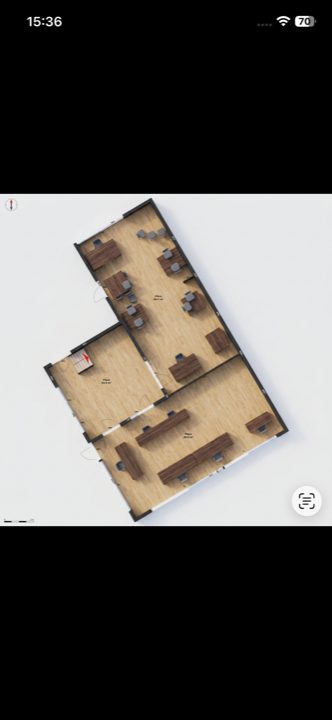
The AI augmented plan automatically produces a styled version of your plan: the AI detects the furniture picked up during the scan and places it into the rendering, giving a far more readable result than a technical drawing.
Generating an augmented plan uses AI credits. The number of remaining credits is shown next to the option in the export menu.
1. Scan the property
The augmented plan is built from the survey: start by scanning the property and generating the plan.
2. Open the export menu
Tap the Export button at the top right of the plan, then select AI augmented plan.
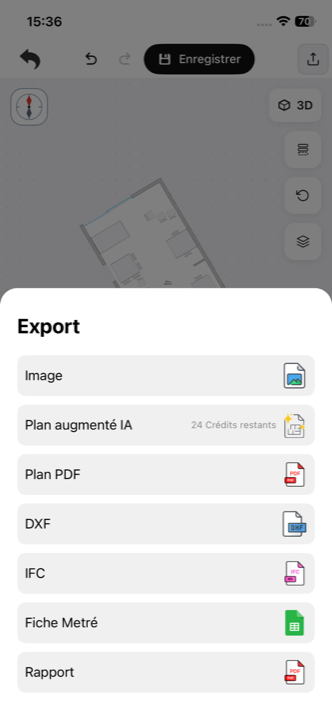
3. Let the AI work
Processing is automatic: the app analyses the plan and produces the enriched version, with no settings on your side.
Result
You get an image of your styled plan — floor finishes, detected furniture in place — noticeably more attractive and realistic than the technical drawing. This is the format to use for a listing, a client presentation or a sales pack.
For other deliverables (DXF, IFC, measurement sheet), see which export format to choose.
Updated on July 25, 2026